

A location page that is not indexed cannot rank, and a surprising number are not. Check three things in order: whether the page returns a working response at a stable URL, whether anything can reach it through an ordinary link, and what Search Console says about it. The usual culprit is a store finder that builds its results with JavaScript and links nowhere, which leaves every branch page technically live and effectively invisible.
Before worrying about what a location page says, find out whether your location pages are indexed at all.
The answer is no more often than anybody expects, and it costs nothing to check.
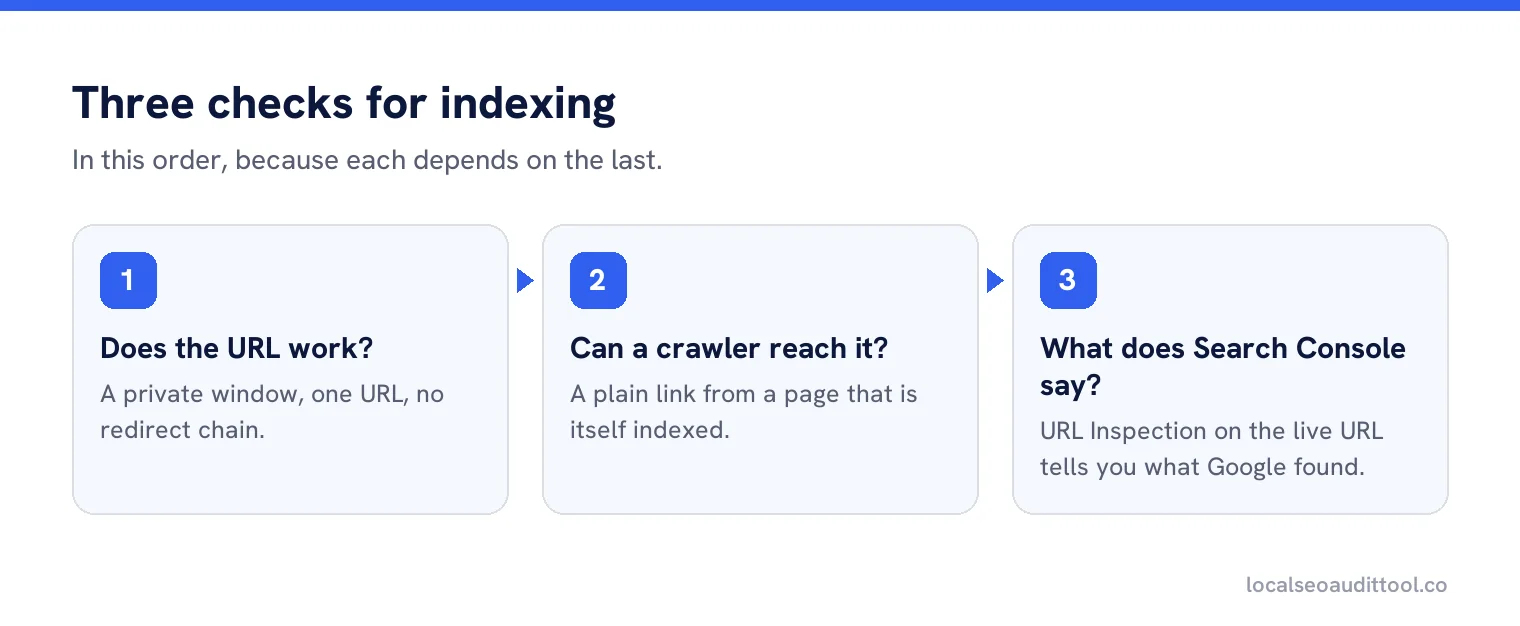
The three checks
Does the URL work?
Open it in a private window. A working page, one URL, no redirect chain, no parameters that change the content.
Can a crawler reach it?
Is there a plain link to it from a page that is itself indexed? A link inside a map widget, a dropdown or a search box usually does not count.
What does Search Console say?
Use URL Inspection on the live URL. It will tell you whether the page is indexed and, if not, what Google found instead.
Why store finders break this
A typical store finder is a search box and a map. You type a postcode, it calls an API, and it draws pins. Nothing in that flow produces a link a crawler can follow, so the branch pages exist only for people who already used the tool.
The fix is unglamorous and reliable: publish a plain list of every location, with ordinary links, on a page that is itself linked from the main navigation or the footer. The finder can stay for humans. The list is for everything else.
Common reasons a page is not indexed
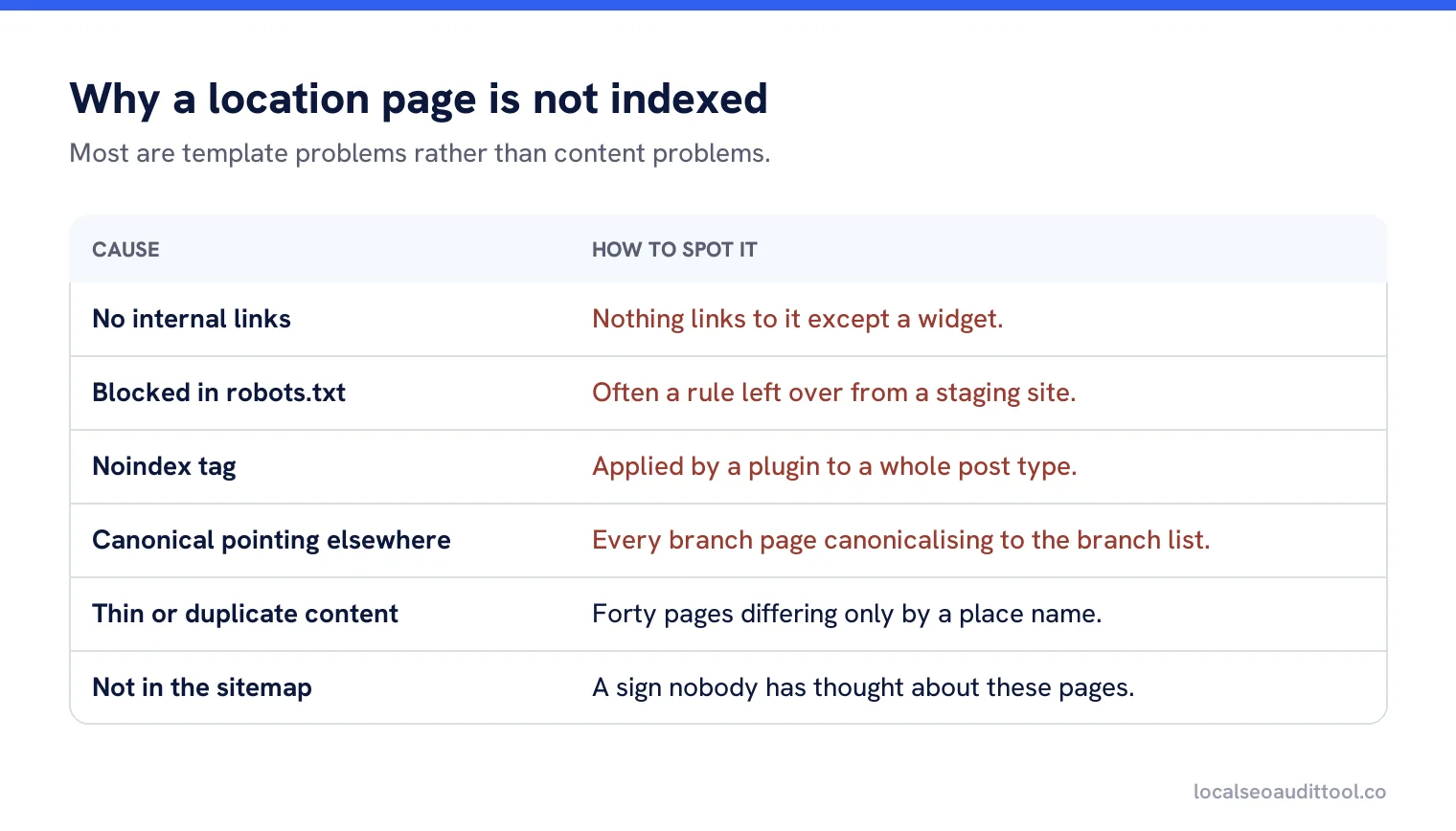
| Cause | How to spot it |
|---|---|
| No internal links | Nothing on the site links to it except a widget. |
| Blocked in robots.txt | A disallow rule covering the directory, often left from a staging site. |
| Noindex tag | Frequently a leftover from launch, or applied by a plugin to a whole post type. |
| Canonical pointing elsewhere | Every branch page canonicalising to the branch list, which asks Google to ignore them. |
| Thin or duplicate content | Forty pages differing only by a place name, which Google may choose not to index. |
| Not in the sitemap | Not fatal on its own, but a sign nobody has thought about these pages. |
| Redirect loops after a move | Old URLs redirecting in circles following a redesign. |
Canonicals, the quiet killer
Google’s documentation on consolidating duplicate URLs explains that a canonical tells Google which version of a set of similar pages to treat as the main one. Set wrongly, it hands your branch pages to another URL entirely.
This happens most often when a template was built once and copied: every location page inherits a canonical pointing at the locations index. Each page then politely asks Google not to index it, and Google agrees.
Thin pages and the indexing decision
Indexing is not automatic. If forty pages are identical except for a swapped town name, Google may index a handful and ignore the rest. That is not a penalty, it is a judgement about whether the pages add anything.
The remedy is content rather than technology: each page needs something only true of that location, which is covered in our guide to auditing location pages for thin content.
A worked case
A dental group with 22 practices had a smart finder: type a postcode, see the nearest practices on a map, click through to a practice page. Each practice page was well written, had a photograph of the building and listed the team. Not one of them was indexed.
The site had no list page. Every route to a practice page went through the finder, which fetched results from an API after the page loaded. A crawler saw a search box, a map, and nothing else. The pages existed for anyone who used the tool and for nobody else.
The fix was a footer list of 22 links and a simple practices index page. Within three weeks, 19 of the 22 were indexed. The three stragglers turned out to have a second problem: they had been built from the same template with only the practice name changed, so there was almost nothing on them that was not on the other 19.
Checking at scale
For a handful of locations, inspect each URL by hand. For fifty or more, work from two lists: every location URL that should exist, and every URL Search Console reports as indexed. The difference between those lists is your finding, and it takes ten minutes to produce.
Sort the missing ones by location importance rather than alphabetically. The branch in your biggest city matters more than the one with four staff, and fixing the template usually fixes both anyway.
Sitemaps help, but they do not rescue
Listing location pages in an XML sitemap is worth doing and is not a substitute for links. A sitemap tells Google the pages exist; links tell Google they matter and give it a route to them. A page that appears only in a sitemap, with nothing on the site pointing at it, is a page nobody has vouched for, and it is routinely left unindexed.
After you fix it
Indexing is not instant. Once the links exist and the blocking is removed, request indexing for a sample of pages and then wait. Days is normal, weeks is not unusual for a large site, and resubmitting repeatedly does not speed it up.
Keep the list of previously missing URLs and re-check it a month later. Pages that are still absent usually have a second problem, most often the thin content one.
Preventing it next time
Add one line to the website release checklist: after any launch, migration or redesign, confirm that every location page is still linked from a plain list and still indexed. That single check catches the most expensive local SEO failure there is, which is an estate of branch pages that quietly stopped existing in Google’s view.
Find the pages Google cannot see
Compare the location pages you have against the ones Google has indexed, across your whole site.
Frequently asked questions
How do I check if a location page is indexed?
Open the live URL in a private window, confirm an ordinary link points to it from an indexed page, then run URL Inspection in Search Console.
Why do store finder pages not get indexed?
Because the finder produces results through a search box and a map rather than links. Publish a plain list of locations that a crawler can follow.
What is the canonical mistake with location pages?
Every page inheriting a canonical that points at the locations index, which asks Google to treat the index as the main version and ignore the branch pages.
Can Google choose not to index my pages?
Yes. If pages differ only by a swapped place name, Google may index some and ignore the rest. That is a content judgement rather than a penalty.
How long does indexing take after a fix?
Days is normal and weeks is not unusual on a large site. Requesting indexing for a sample is fine, but repeated resubmission does not speed it up.
Sources
The Google documentation behind the guidance on this page. Google changes these pages without notice, so check the date on any figure before you rely on it.