

LocalBusiness structured data tells Google about a business in a machine readable form: hours, departments, and in some cases reviews. Audit it by validating with the Rich Results Test, fixing critical errors first, and checking one thing the validator cannot: that what the markup claims matches what the page and the Business Profile say. Markup that disagrees with the visible page is a bigger problem than markup with a warning in it.
LocalBusiness schema validation is the part of a local audit where people either spend a day or skip it entirely. Both are wrong. It is a twenty minute check with a short list of things that actually matter.
What the markup is for
Google’s documentation on LocalBusiness structured data describes it as a way to tell Google about business hours, different departments within a business, and reviews where your site captures reviews about other businesses. It is not a ranking promise, and Google does not present it as one.
Treat it as a way of removing ambiguity. The page says the business is open until five; the markup says the same thing in a form that does not depend on interpretation.
The audit, in order
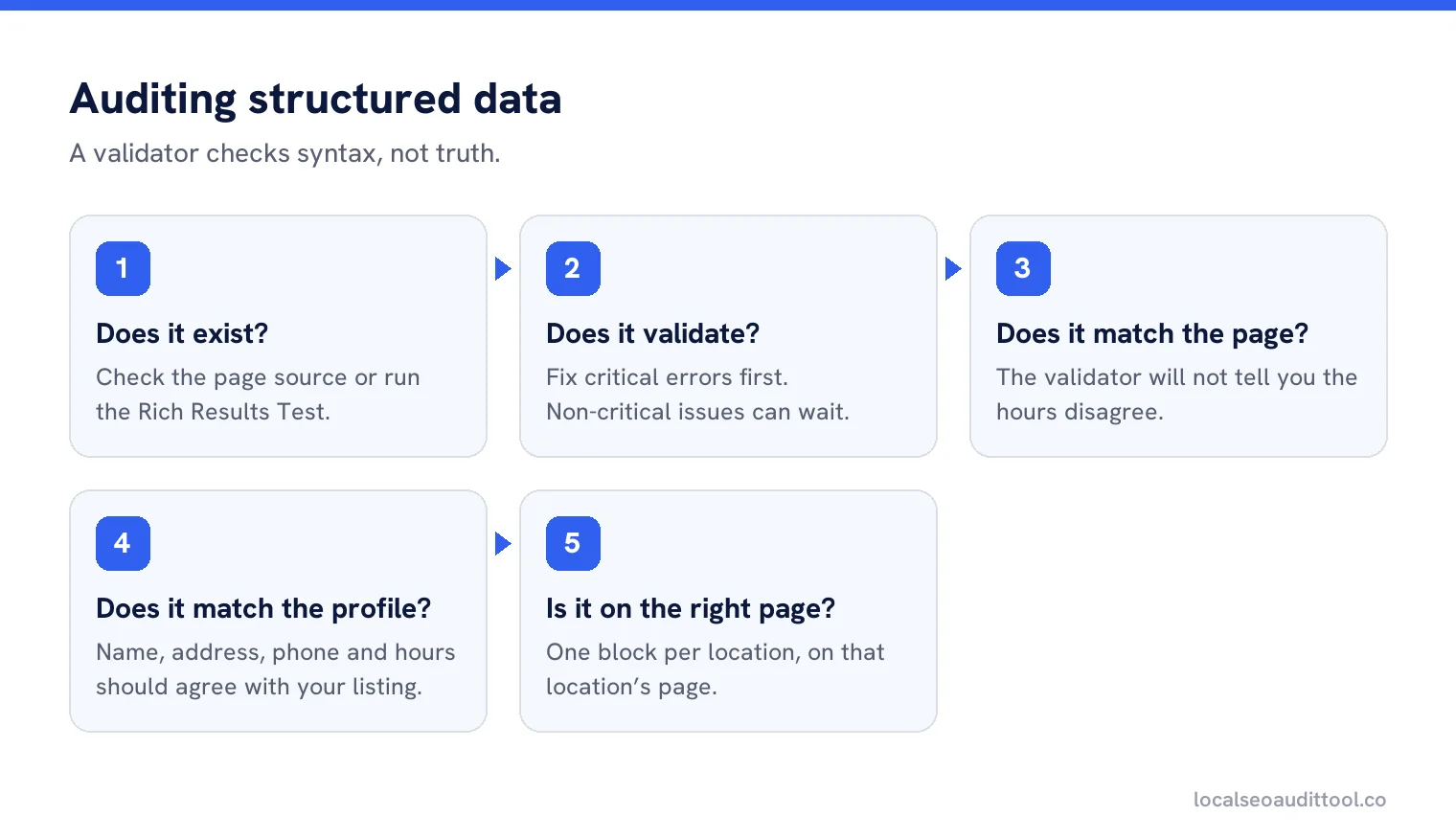
Does it exist?
Check the page source or run the Rich Results Test. Plenty of sites have none at all, which is a finding rather than a disaster.
Does it validate?
Google’s guidance is to validate with the Rich Results Test and fix critical errors, and to consider fixing non-critical issues, which can improve quality without being required for eligibility.
Does it match the page?
The validator will not tell you that the markup says 9 to 5 while the page says 8 to 6.
Does it match the profile?
Name, address, phone and hours should agree with your Business Profile.
Is it on the right page?
One block per location, on that location’s page, not a single block repeated site-wide.
Errors that matter, and ones that do not
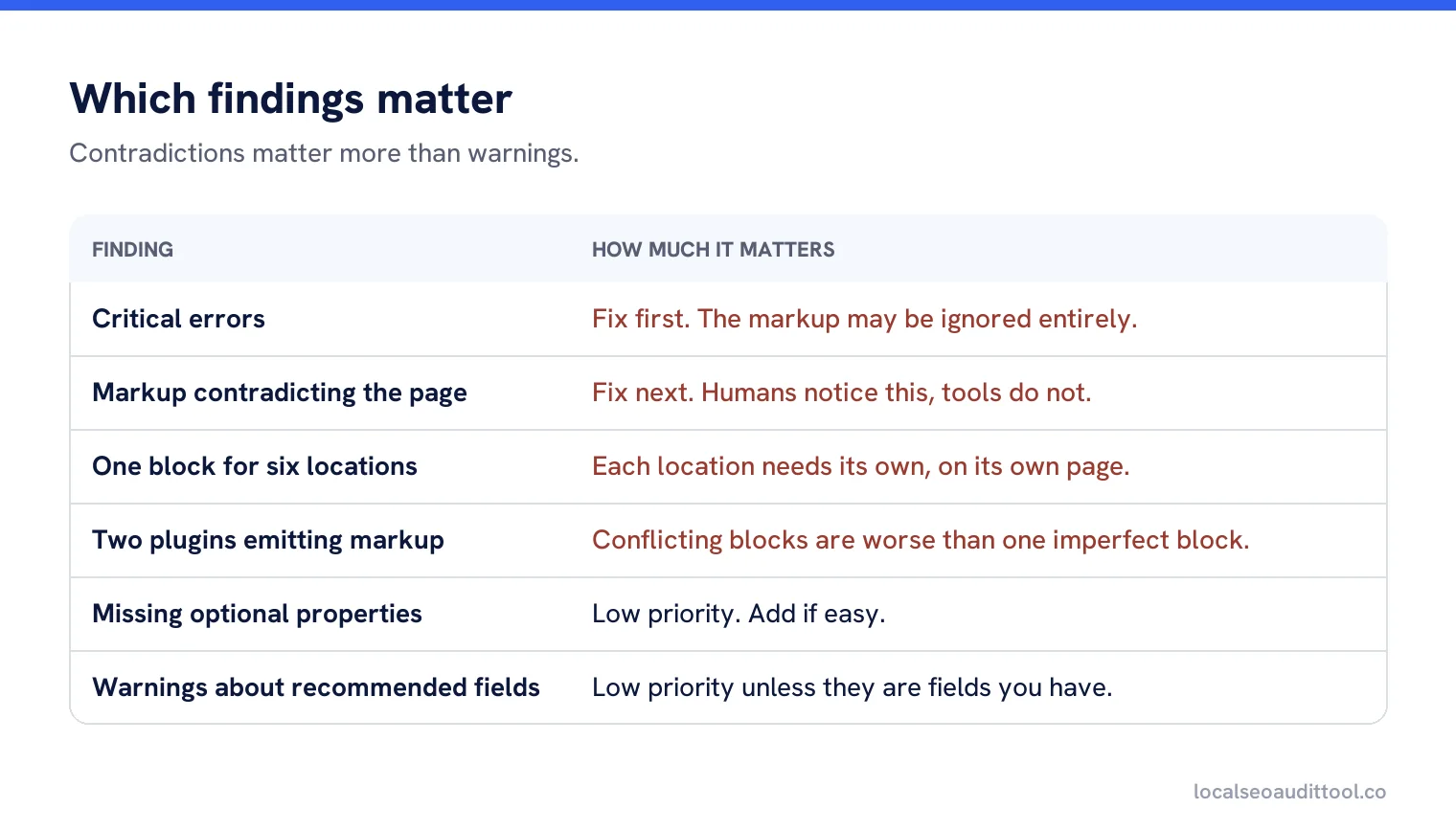
| Finding | How much it matters |
|---|---|
| Critical errors in the test | Fix first. The markup may be ignored entirely. |
| Markup contradicting the page | Fix next. This is the one humans notice and tools do not. |
| One block for six locations | Fix. Each location needs its own, on its own page. |
| Missing optional properties | Low priority. Add if easy, ignore otherwise. |
| Warnings about recommended fields | Low priority unless they are fields you actually have. |
| Two plugins emitting markup | Fix. Conflicting blocks are worse than one imperfect block. |
The duplicate markup problem
On content management systems this is the most common fault. A theme adds markup, an SEO plugin adds markup, and a reviews plugin adds a third block. Each is individually valid and together they describe a business that has two names and three sets of hours.
Finding it takes one view of the page source and a search for the schema type. Fixing it means turning off all but one source, which is usually a setting rather than development work.
Reviews in markup, carefully
Review markup is where sites get into trouble. Google’s guidance distinguishes between reviews your site captures about other businesses and self-serving review content. The safe position for a local business is to leave review markup alone unless you have a genuine, properly sourced review system and understand the rules that apply to it.
Marking up your own star rating because it looks good in search results is the single most common reason a site loses rich result eligibility.
Departments
The markup supports departments, which maps neatly onto businesses that genuinely have them, such as a dealership with a service centre. If the departments are real enough for separate Business Profiles, they are real enough to describe in markup. If they are not, leave them out.
A worked check
A garden centre with a cafe. The Rich Results Test showed two blocks: one from the theme describing the garden centre, one from an events plugin describing the cafe as if it were the main business, with different hours. No critical errors in either.
Nothing in the tooling flagged a problem, because each block was valid. The contradiction was only visible by reading both. The fix was to disable the plugin’s markup and extend the theme’s block to include the cafe as a department, with its own hours, which also matched how the business actually operated.
Where the markup should live
One block per location, on that location’s own page. Two patterns cause most of the confusion in multi-location sites. The first is a single block in the site header, which describes the head office on every page including every branch page. The second is a block on the locations index describing all of them at once, which describes nothing clearly.
If a page is about one place, its markup should describe that place. If a page is a list, it does not need business markup at all. That rule settles nearly every question about where to put it, and it has the useful side effect of making the markup easy to generate from the same record that feeds the page.
What not to bother with
Do not add markup for things the page does not show. Do not invent properties. Do not spend an afternoon adding optional fields to 40 pages when four of them have the wrong phone number. And do not treat a green tick in a validator as proof that anything is correct, because it only proves the syntax was understood.
Generating it from your data
Hand-written markup goes stale the first time hours change. Generate it from the same location record that fills the page, so a correction in one place updates both. That is also the cheapest protection against the contradiction problem, since the page and the markup can no longer disagree without somebody doing it on purpose.
Re-checking
Validate again after any theme change, plugin update or redesign. Those are the three events that silently introduce a second markup block or remove the one you had, and nothing on the visible page changes to tell you.
Check markup and listings together
Validate your structured data and compare it with your Business Profile data in one pass.
Frequently asked questions
What does LocalBusiness structured data do?
It tells Google about the business in a machine readable form, including hours, departments and, in some cases, reviews your site captures about other businesses.
How do I validate it?
Use the Rich Results Test and fix critical errors. Non-critical issues can improve quality but are not required for rich result eligibility.
Does valid markup mean correct markup?
No. A validator checks syntax, not truth. Markup saying the business opens at nine while the page says eight will pass validation and still be wrong.
Why do I have two sets of markup?
A theme and one or more plugins each emitting their own block. Each can be valid while together they describe a business with two names and three sets of hours.
Should I mark up my own reviews?
Be careful. Self-serving review markup is the most common reason sites lose rich result eligibility. Leave it alone unless you understand the rules that apply.
Sources
The Google documentation behind the guidance on this page. Google changes these pages without notice, so check the date on any figure before you rely on it.